Building SoCalendar - Part I
June 23, 2024
There's a new wave of TUI's emerging. Frequent Hacker News posts showcasing flashy new applications, boasting interactivity, power, but all from the terminal. Superfile and LazyGit are two of the more recent examples that I've played around with.
It's only relatively recently I've found myself spending more time on the terminal. A few years ago they scared me as a concept; non-user friendly and obtuse. It was probably NeoVim that started to make me feel more comfortable with them as a concept. Now I wish everything could run on the terminal. It might still be a phase, I could find myself swinging back somewhere into the middle where I appreciate both the speed and efficiency of the terminal for some tasks while embracing the visual and interactivity afforded by a GUI.
However, right now I'm definitely in my TUI phase and I'm seeking a terminal version of most apps I use day to day. But there's one that I have yet to see pop up - the calendar.
My favourite calendar app at the moment is Cron Notion Calendar. It's been my go to calendar app ever since I started using it. It's simple, quick, has good keyboard shortcuts and has some great features. Auto-blocking busy periods on other calendars when creating events, quick timezone comparisons for holiday preparation, and an easy way to view other people's availability to plan meetings.
Technology
Rust is my language of choice at the moment. I find it super satisfying to write in and now I'm getting more and more familiar with the borrow checker, and the way it wants you to design your system, I'm really able to appreciate the expressiveness of the language.
Go almost tempted me; it's still something that I'd like to pick up and try for a larger project. I'd particularly like to try and create another TUI, making use of the snazzy looking Charm.sh libraries, and compare the experience to Rust.
To handle the creation of the TUI itself I'm gonna be relying on Ratatui, which looks to be a really powerful crate. There's always the bareback approach, handling all the ASCII escape codes and double buffering myself but I think I'll leave that for another day.
Ratatui gives you the building blocks you will need to design some pretty robust interfaces, fundamental items like Blocks and Layouts for structuring your interface and more specific things like Paragraph and List, while also providing traits to allow you to expressively build up your own widgets.
Outside of that those visual building blocks, and a few helper functions that interact with a terminal backend of your choice (the deFactor is CrossTerm), the behaviour of your application is up to you to design.
The Elm Architecture
- Overview of the architecture
- What I think about it at first glance, seems great for small projects but how does it scale when you have more state, more events etc
- Rust enum's are the perfect fit for messages, wrapping data inside events while still having strong pattern matching is always awesome
Pretty early in the comprehensive Ratatui docs you'll encounter some ruminations around where state should be stored in the application, and how interactions should be handled. This is exacerbated when considering an async application (which I'll touch on later).
Rust's strictness around ownership and lack of garbage collector means systems have to be a little more thoughtful than you would be working with the wild west of JavaScript web development. There's a number of approaches to take but one of the architectures mentioned in the docs caught my eye.
The Elm Architecture (TEA), named for the Elm language of course, is recommended in the Ratatui docs in a number of places. Elm's functional paradigm with strong typing map well to some of Rust's core concepts and this comes across in how well the architecture seems to fit this problem space.
There are three main concepts in TEA:
- Model: all of the application state is stored in the model, as opposed to spread out closer to components
- Update: this is a function which takes a model and an event and maps to a new model
- View: this is a function which takes in a model state and produces the UI from that state
Let's take a look at what that looks like in SoCalendar.
Model
Model here is a struct, it contains a few different fields. Along side keeping track of the current state of the model (essentially what page the app is currently on) it also has some of the more operational data; the application struct contains stuff like database pools that are required for basic app functionality and the message channel is a sender channel that will become important shortly.
Any other state which would be required by multiple parts of the app would live here. An example would be the current in memory list of events that had been fetched, so that each page didn't have to refetch them if it didn't have to.
Page specific state I have chosen to store inside the CurrentState, which is an enum eliciting all the various states (mostly pages but occasionally transitional states like awaiting a user to log in in their browser) which will contain their specific state.
Update
As explained above, the update function handles the majority of the work in TEA. Since Elm is purely functional, a true mirror of this architecture would take in a model and a message and produce a new model. While this is possible to do in Rust, I've chosen to mutate the model for its slight ergonomic benefits. This is something I'd like to revisit later though, immutable is almost always better than mutable.
A message defines an action taken that should update the model. This is largely going to be a result of some user input, they have pressed the escape key to navigate backwards, or they have pressed q to quit the app. There are instances though that represent app-driven events. As an example, a slow fetch from Google would ideally be moved onto a background thread. Upon completion that thread would send a message with the payload of that fetch (or an error 🥲).
My implementation looks as follows:
pub async
Note that the Ok variant of the Result actually returns an additional optional message. This is handy in certain cases where an action should actually trigger another event. Consider a message that represents a desire to navigate backwards from one page to the previous. One option would be to mutate the model to be in the new state, but if that state required data fetching or processing it's better to instead return the message for moving to that state. Then the next time around the update function can do the handling.
View
The view is getting into the nitty gritty of rendering using Ratatui, which I want to explore more deeply in another piece. For now, its enough to know that it will take the model and render something.
Sqlx and Async Curse
Something that I'm still a little unsettled by is having to use async for this app. I'd originally set out to keep everything synchronous where possible, utilising standard Rust threads when I required parallel processing of requests.
It's not that I dislike async in Rust, although it's not free from its quirks, I generally quite enjoy using it. I'll die on the hill that await as a postfix operator is always going to be better than a prefix. But it would certainly have kept everything a bit tidier to not need to dot asyncs and awaits around.
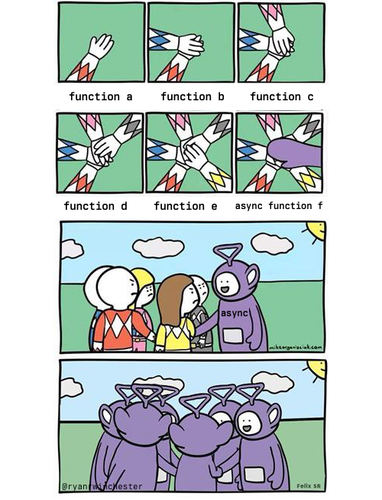
So why did I end up using async? Once simple reason. Sqlx.
Sqlx is my favourite crate for driving database interactions. In fact it might just be my favourite Rust crate at all.
I love the way it does compile time checking. I like that it can manage migrations for me. I like it's ergonomics, how easy it is to deserialise your rows into structs and get errors from your LSP when you are missing a field. And there's certainly nothing wrong with Rusqlite and it's what I set out to use given its popularity and offering a synchronous interface. But it's just not Sqlx, and so async await it is.
Sqlite
For my database I've chosen to go with SQLite. It's the perfect choice for a simple application like this. No need to spin up a Postgres server and a step above storing everything in files manually.
It's my first time using SQLite and I was a little surprised at first by just how simple it is. Firstly to get up and running, but notably in it's primitives. I'm used to sticking UUID's everywhere as primary keys in Postgres - no such luxury in SQLite. You'll take an auto-incrementing number and you'll like it. (You can store the uuid as a string and then manually convert it but that sounds like more effort than it's worth).
I set out with a simple set up function that would create the tables I expected without the need for migrations. I'm used to web dev where you need migrations because you have a long lived database with everyone's data; I'd fail to consider that you would need some way to update a user's database when a new version of the app came out as well.
Oh well, migrations here I come. Sqlx makes migrations super easy. They live inside the /migrations folder in your project and a simple sqlx migrate command gets you up and running. All of that can also be configured in code, which is handy for tests.
Interacting with the database is the same regardless of the database when using sqlx. You spin up a connection pool and then you query the database with those magical checked macros.
pub async
Being able to query straight into a struct is super cool. If at any point the data type of one of the calendar columns changes, or get's dropped, I'll be warned at compile time by the sqlx query macro. This is genius and the best showcase of compile time macros I've seen. You do pay the price of slightly slower compile times, which is already a pain point with Rust, but I consider the tradeoff more than worth it in this case.
Since I last did any sizeable work with sqlx they've also added the offline query support. Run a command on the cli to generate cached information for compile time checks in scenarios that don't have a database. E.g. running tests or in CI actions. Seriously good stuff.
Onwards
With these general architectural decisions out the way everything is set up to start making some progress on the actual problems that will come up with the application itself and I'm excited to get implementing features.